New Cascade Website – What’s Changed?
New Look. Fuller Experience. Built For You.
As part of our continued commitment to improving your experience, we are excited about the launch of our newly redesigned website. While many of the tools and resources you rely on remain the same, you may notice a few updates and changes as you navigate the new platform. In this blog, we’ll walk through some important changes you may experience to help make the transition as smooth as possible. Our team is actively working on enhancements and updates to continue improving the customer experience.
Shopping List
Shopping lists now save items at the SKU level instead of the product level, making it easier to organize and manage products for future orders. Each saved item includes detailed SKU information, pricing, and product descriptions, helping you quickly confirm that you have selected the correct item.
When you are ready to order, you can add items to your cart individually or all at once for a faster, more streamlined checkout experience.
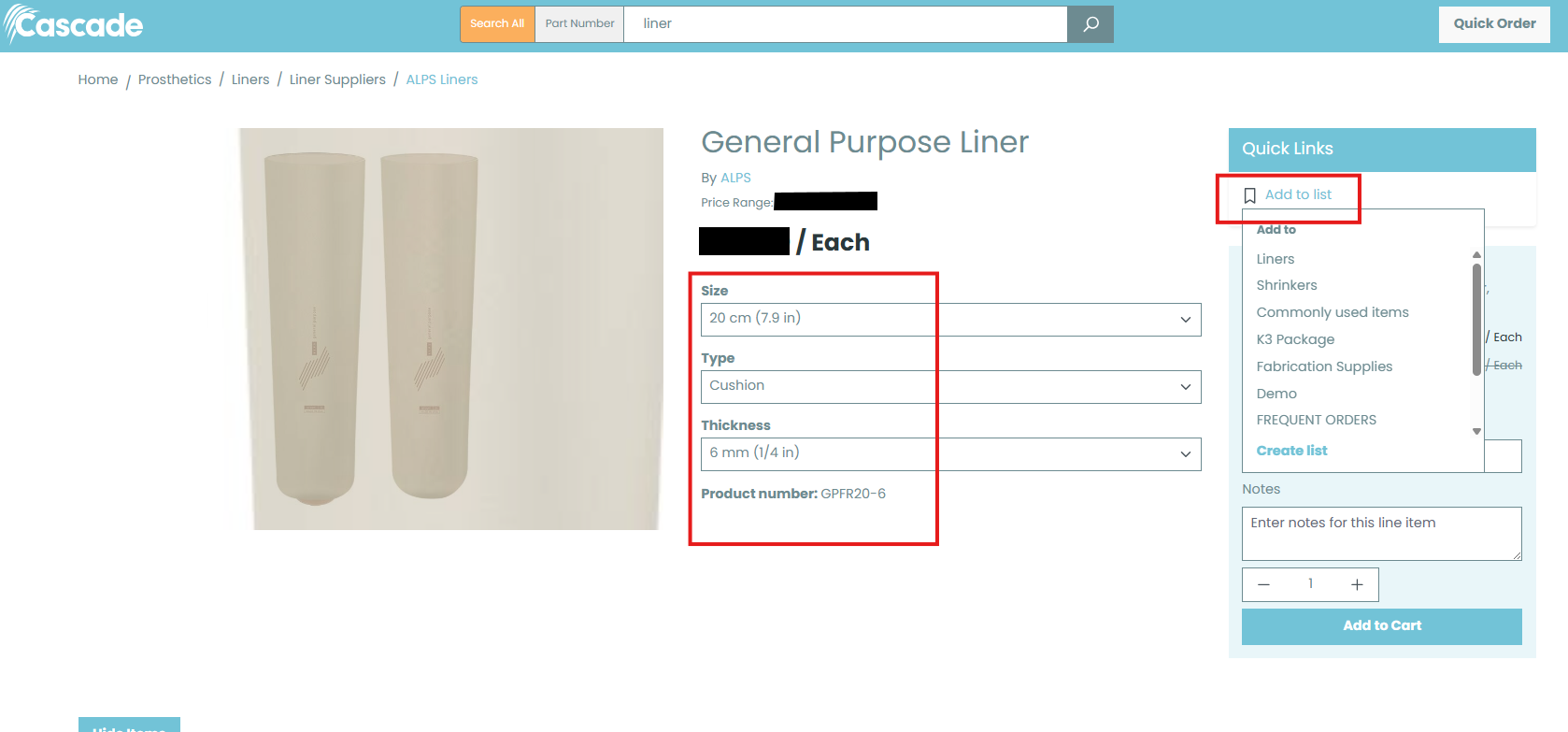
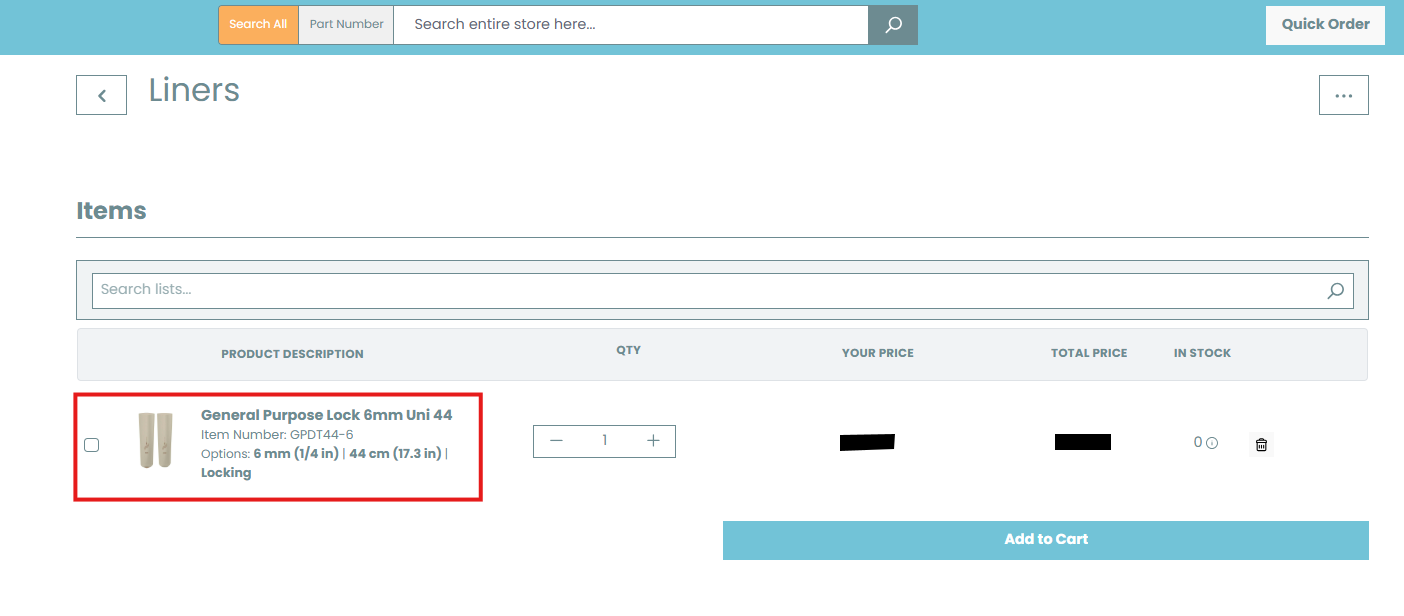
- If the SKU saved to the shopping list is not the one you would like to purchase, you will need to return to the product page and select the correct SKU. You can easily navigate back to the product page by clicking the hyperlinked product name within the shopping list.
- Specific list can be created for ordering and by using the checkboxes on the left side, you can add specific products or all products to the shopping cart.
Attribute Filters are Pre-populated
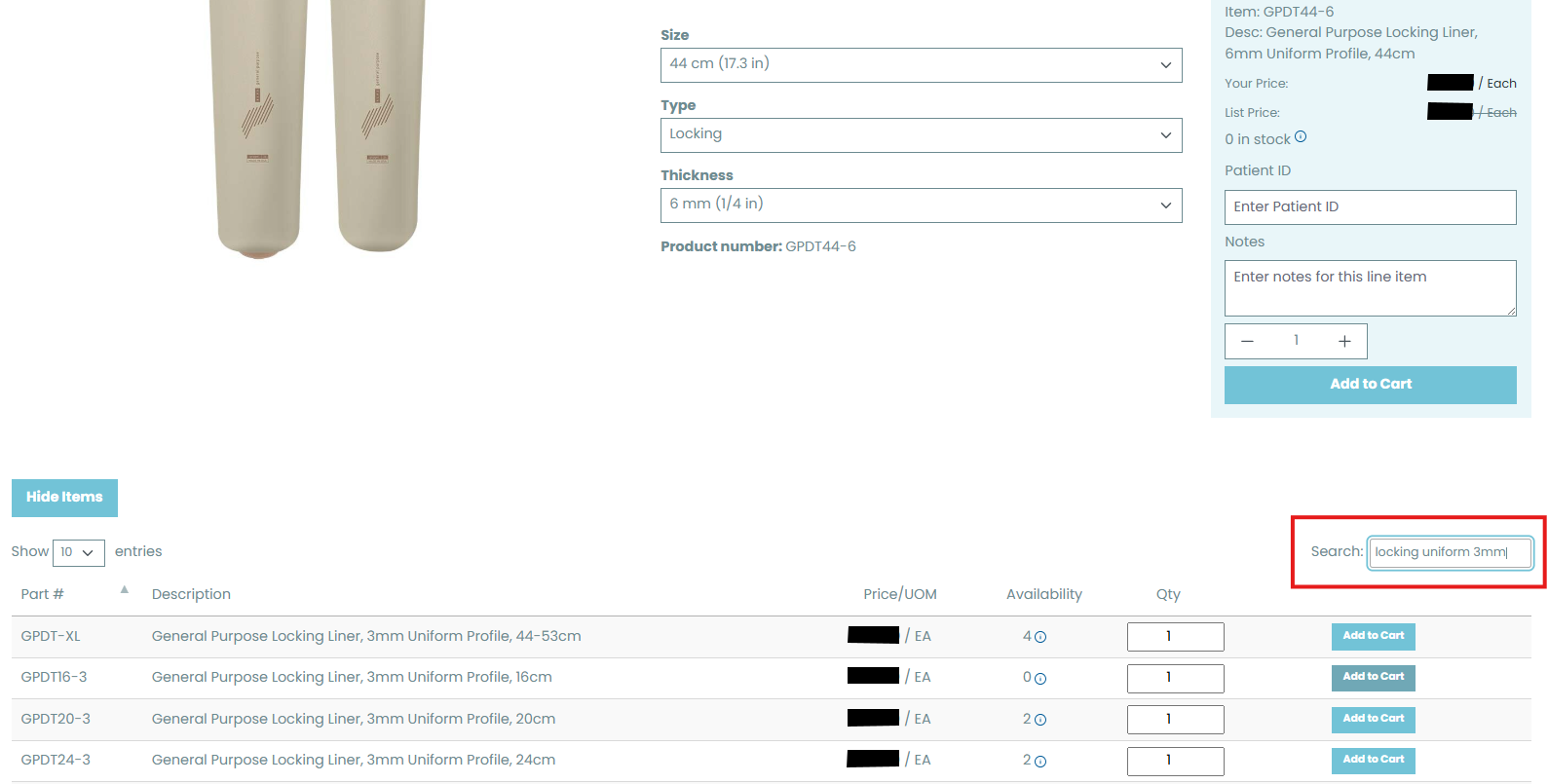
When navigating to a product page, a default SKU will automatically be displayed. Before adding the item to your cart, be sure to review and adjust the attribute filters to select the SKU you need. You can also use the small search box below the product grid to quickly narrow results using keywords or product attributes (example: “locking uniform 3mm”).
Search for Products
Search All vs. Part Number
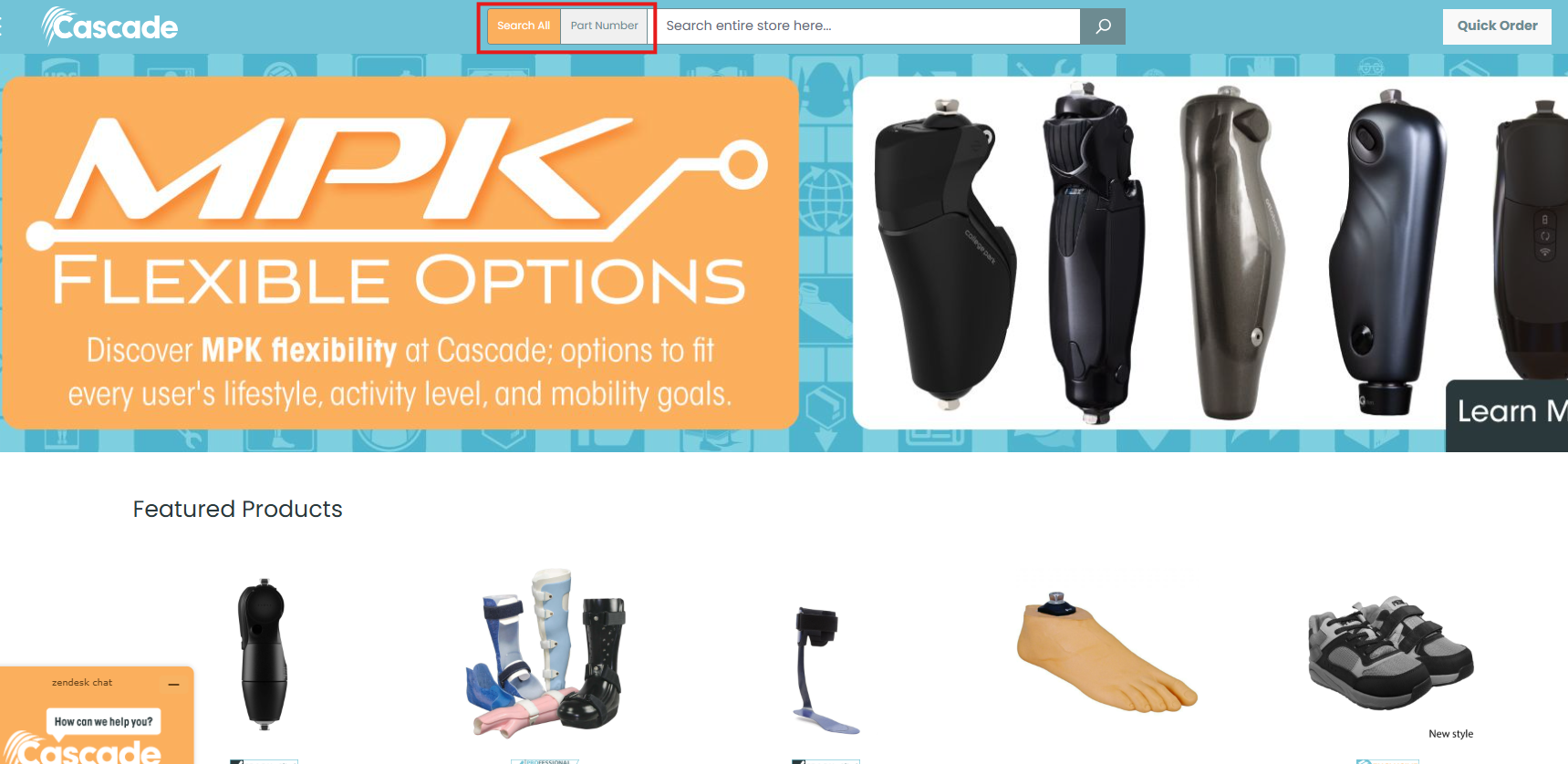
On the homepage, you will now notice two different search options available to help make finding products easier: “Search All” and “Part Number.” Before searching, simply select the option that best fits how you would like to search for an item.
The “Search All” option performs a broader search based on the keywords or terms entered into the search bar, making it ideal for general product browsing. If you already know the exact SKU or item number you need, you can switch to the “Part Number” option and enter the SKU directly to quickly pull up the specific item, provided it is available in our catalog.
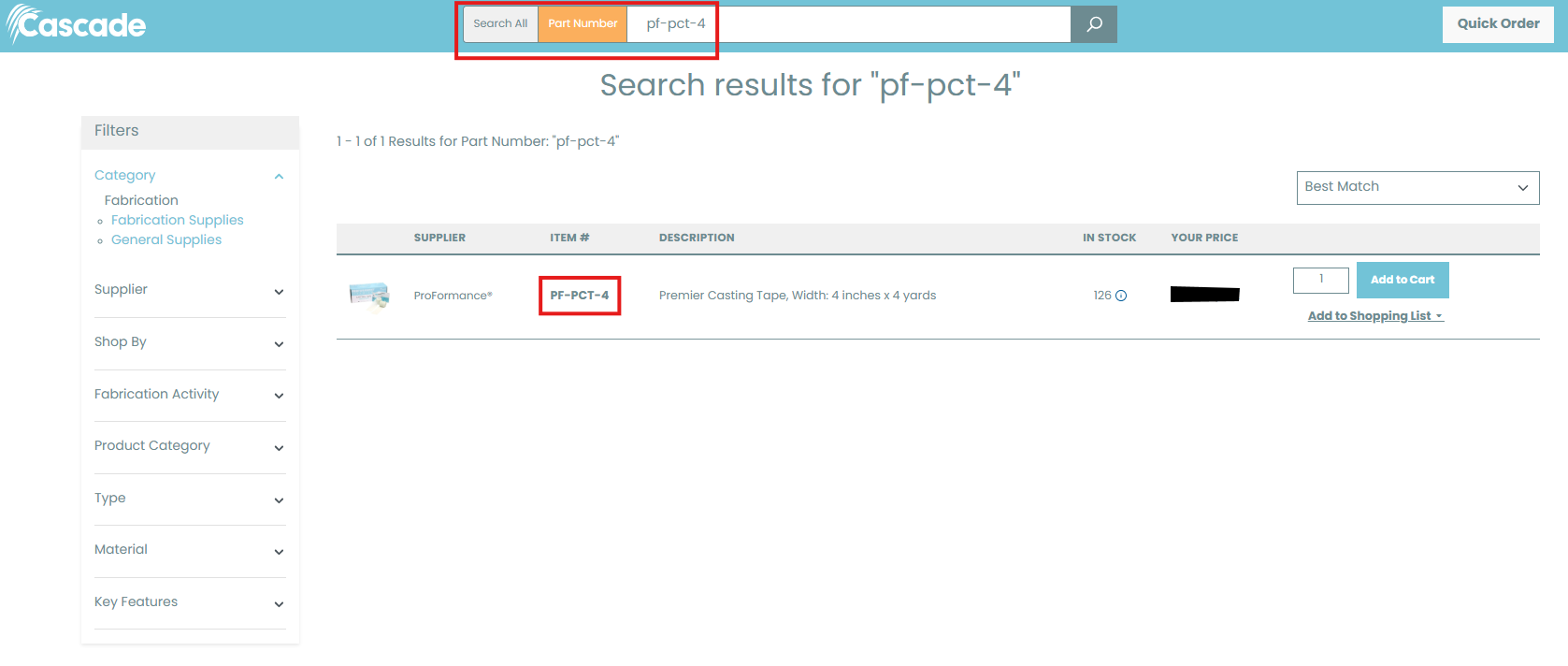
*Using “Part Number”
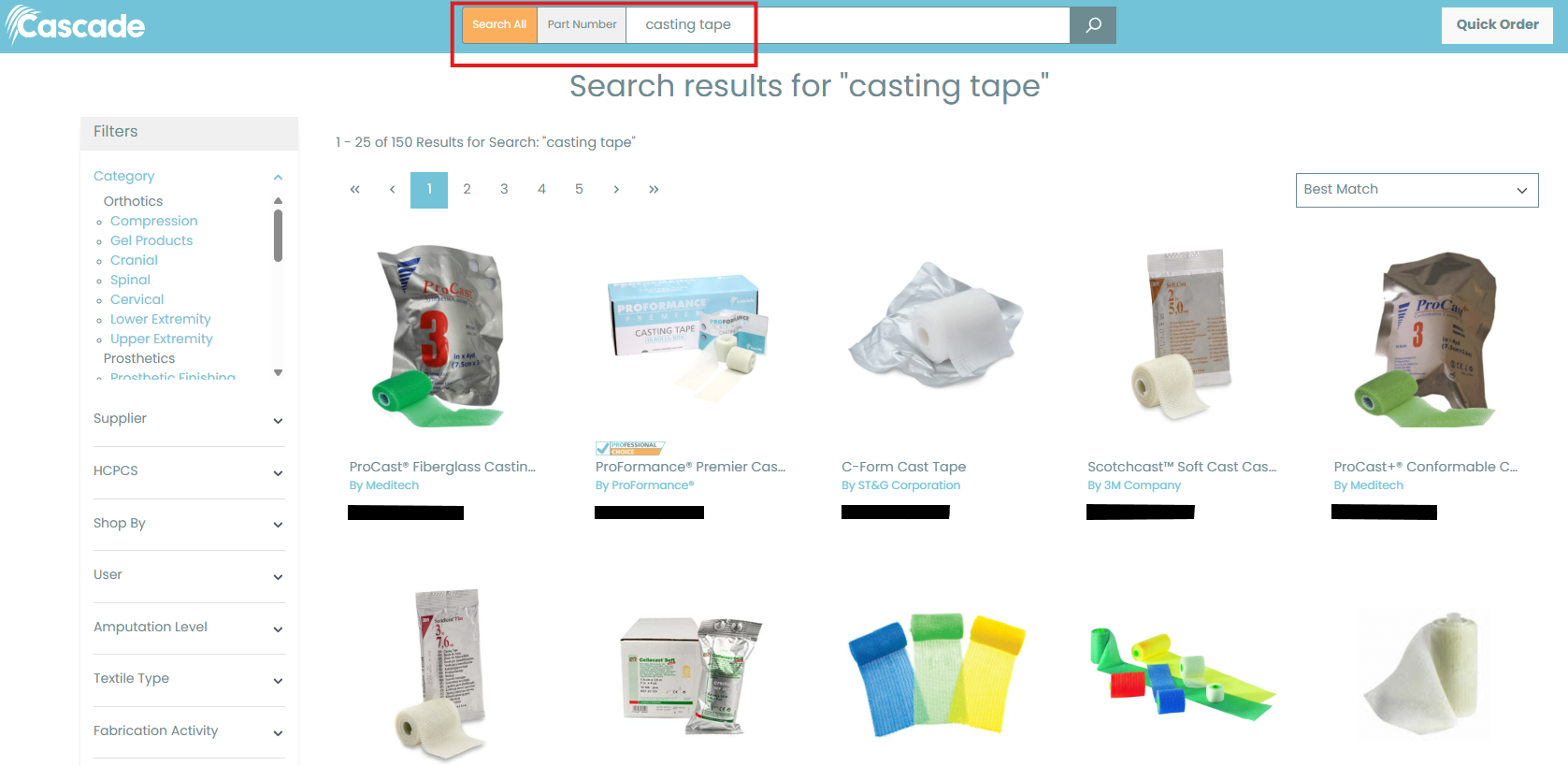
*Using “Search All “
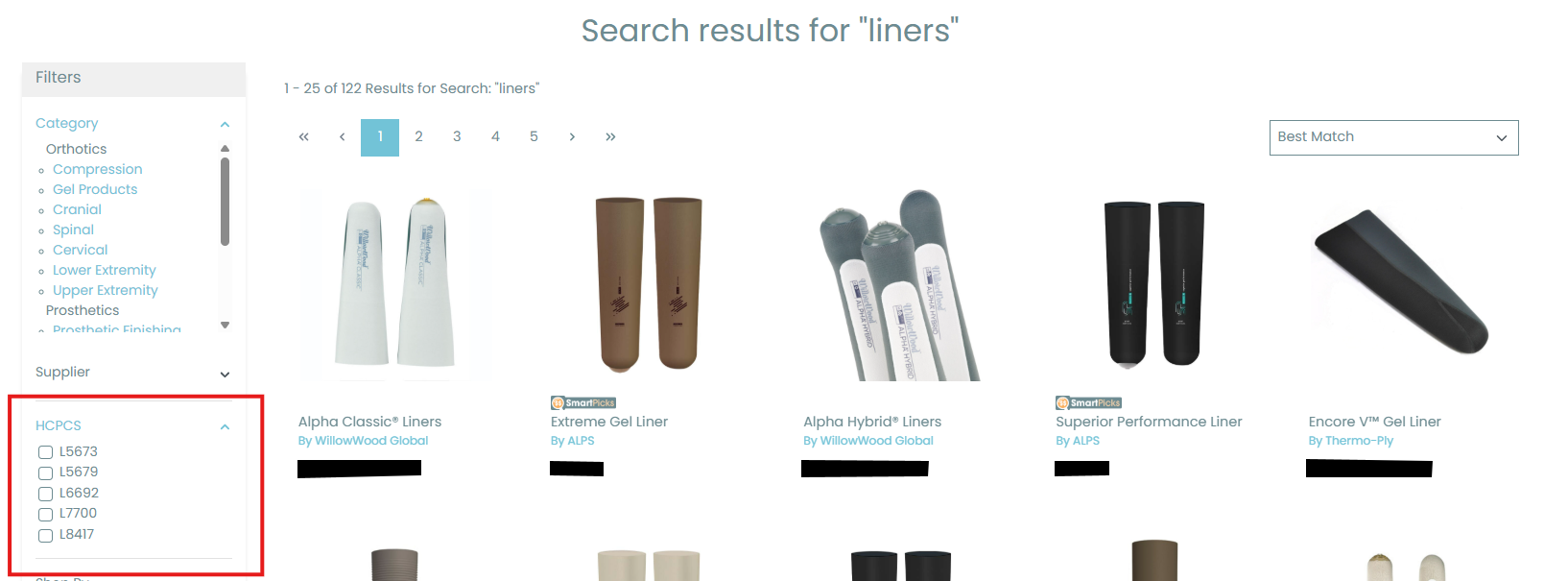
HCPCS Code
When searching for a specific HCPCS code, you can now use the filters located on the left side of the page to quickly narrow down and navigate to the products associated with that code. This updated filtering system makes it easier to refine your search results and find the exact items you are looking for more efficiently.
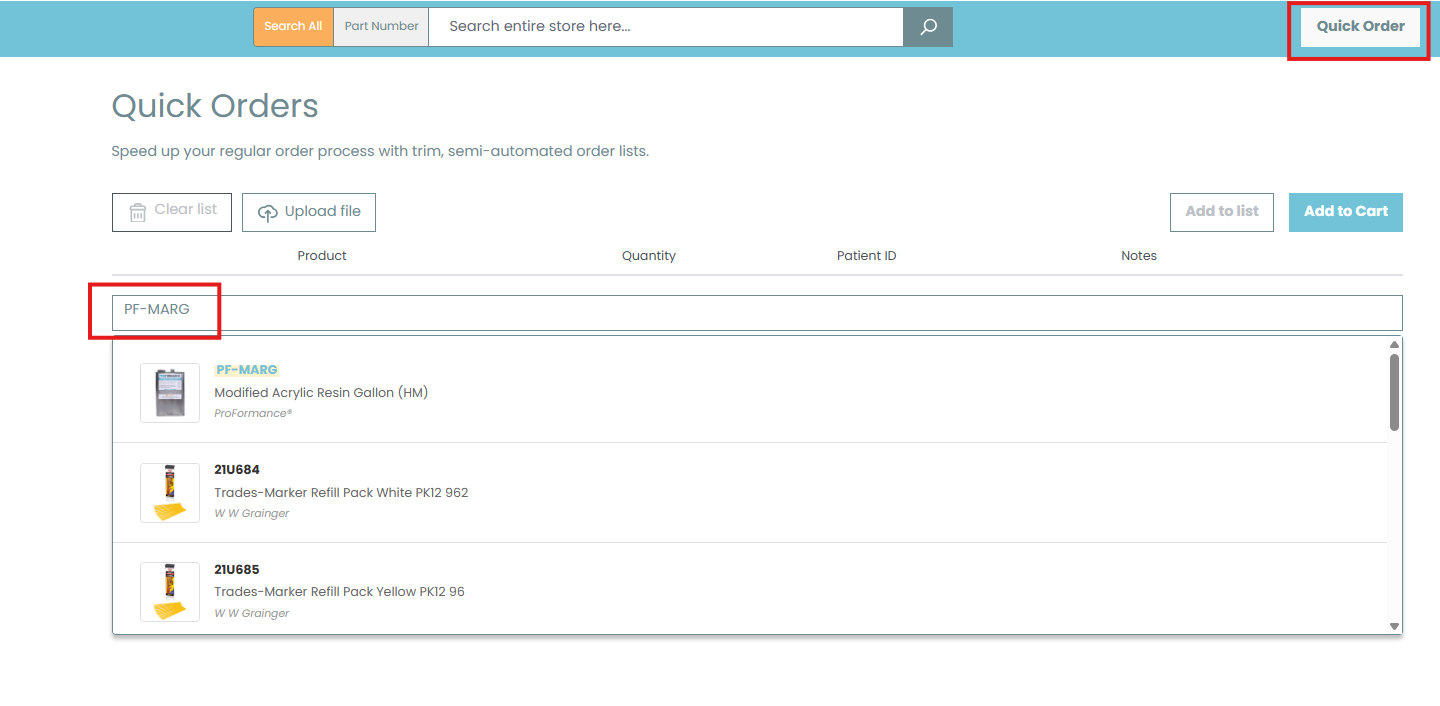
Quick Order Pad
Another quick and convenient way to find a SKU in our system is through the Quick Order Pad, located in the top right-hand corner of the website. As soon as you begin typing the SKU you are looking for, suggested results will automatically populate below the search field, allowing you to quickly locate the correct item and add it directly to your shopping cart. This feature is especially helpful for fast ordering when you already know the item number you need.
Custom Product Pages
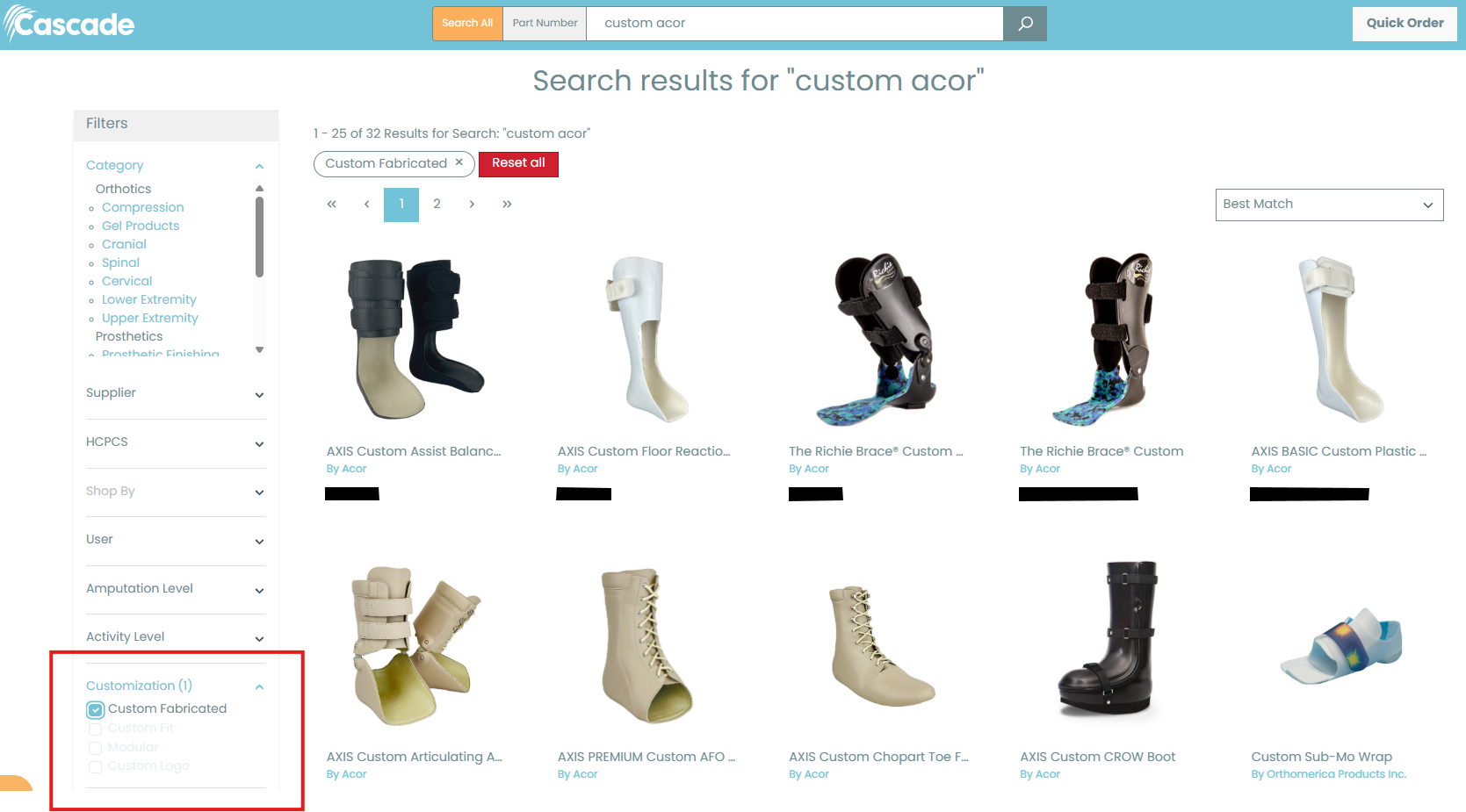
Custom products now have their own dedicated product pages that can easily be found through the website search. Simply search for the custom product you are looking for, then use the “Customization” filter located on the left-hand side of the page to narrow the results and display the available custom product options. This updated setup makes it easier to quickly locate and navigate to the custom products you need.
Feedback & Questions
We appreciate your patience and support during the transition to our new website, and we’re confident these updates will provide an even better overall experience. As we continue to improve and enhance the site, we welcome your feedback, questions, and suggestions to help us make the experience as seamless and user-friendly as possible.
We’ll also be keeping you informed as new features and functions become available in the coming weeks, so be sure to check back for updates and enhancements.
If you have any comments, concerns, or need assistance, please reach out to us using the contact methods below. Our team is always happy to help!
- Contact Us Form
- Live Chat
- Account Manager
- Customer Service Team – orders@cascade-usa.com
- Web Support Team – websupport@cascade-usa.com

